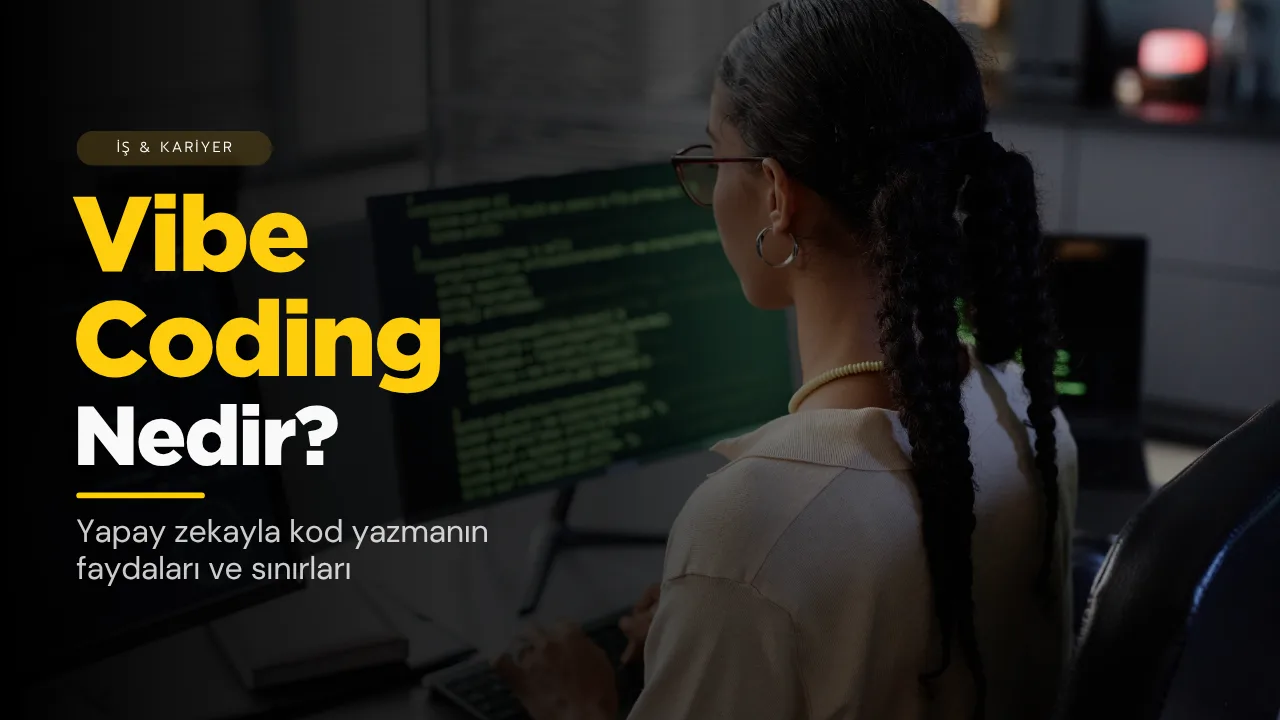
I come from sales and marketing. For more than three years now I have been building software with AI. I started before this had a name; now everyone calls it "vibe coding".
The shortest answer to the question what is vibe coding is this: you describe what you want to an AI in natural language, it writes the code, and you steer by the result without looking at the detail of the code. It sounds like magic. For some jobs it really works very well; for others it carries serious risks.
In this article I explain where the term came from, how it differs from AI-assisted programming, when it works and how you can start safely as someone who can’t code.
What is vibe coding?
The term spread with a post in February 2025 by Andrej Karpathy, one of the co-founders of OpenAI. Karpathy used the expression to describe a new way of writing code in which he gave himself over completely to the flow and forgot that the code even existed.
The glossary of OpenSSF, which works on open-source security, defines vibe coding as follows: accepting AI-generated code without reviewing or understanding it, and steering changes only by looking at results and new prompts.
The word soon entered everyday language too. In November 2025 Collins Dictionary chose "vibe coding" as its word of the year and defined it as AI helping to write code through prompts given in natural language.
In short, in vibe coding you describe what you want, and the AI takes care of how it is done.
Are vibe coding and AI-assisted programming the same thing?
No, and this distinction matters.
In his article of March 2025, the developer Simon Willison draws the line clearly: vibe coding is building software without reviewing the code the AI wrote. A developer using AI and then reading the code, testing it and making sure they understand it is, in his view, simply software development. OpenSSF draws the same line: if the generated code is reviewed by a human, it no longer counts as vibe coding.
| Vibe coding | AI-assisted programming | |
|---|---|---|
| Who reads the code? | Most of the time, nobody | The developer reads and understands it |
| What does it go by? | The question “Does it work?” | Whether it works, is secure and can be maintained |
| Where it fits | Personal, low-risk work | Software that other people will use |
That is why it is not right to say “everyone who writes code with AI is vibe coding”. Two very different jobs can be done with the same tools.
How does vibe coding work?
It has a simple loop:
- You describe. Something like, “Make a page that calculates the total price and VAT when I enter the customer’s name, the product and the quantity.”
- The AI writes the code. A chat assistant or an AI tool connected to a code editor can do this.
- You run it. You look at the result: does it calculate correctly?
- You correct it. If there is an error, you write the error message or your expectation again: “The VAT is wrong, it should be 20 per cent.”
This loop goes round a few times and something that works comes out. For someone who can’t code, that is something that was not possible before.
When does it work?
The yardstick Simon Willison suggests is to look at the risk of the job: if a bug appears or there is a security hole, who is harmed and how?
If the risk is low, vibe coding works very well:
- Personal tools: a quote calculator, a small page that organises your visit notes, a checklist you use yourself
- Prototypes: a draft you can show with “I’m thinking of something like this” before explaining an idea to the team or a customer
- Learning: weekend experiments to see what AI does well and what it does badly
For someone who comes from sales, the biggest gain is this: instead of explaining your problem to a developer and waiting for weeks, you can try out a small tool yourself in an evening.
What are the risks?
The speed of vibe coding brings its risk with it.
- Security: OpenSSF warns that code released without review can carry serious security vulnerabilities. If you don’t read the code, you won’t notice a hole either.
- Secrets: an API key (a password-like key that lets one piece of software access another service) used to connect to a service, or customer data, can accidentally end up public.
- Unexpected cost: code that connects to a pay-as-you-go service can quickly inflate the bill if no limit is set. Willison warns about this in particular.
- Maintenance: code that works today will one day be broken by an update. Fixing code whose workings you don’t know can be harder than writing it from scratch.
- Software other people will use: a form that collects customers’ data or a page that takes payments is not “low risk”.
In short, vibe coding is great for the work on your own desk; for work that will be put in front of your customer, it is not enough on its own.
4 lessons I learned as someone who comes from sales
The things that have helped me most when writing code with AI have turned out to be habits I know from sales.
1. A good description is a good brief
If you say “Make me a form”, it cannot know what you want. Which fields will there be, which are required, what happens when the form is submitted? What a good brief is in sales, a good prompt is here.
2. Go piece by piece
Instead of “Make me a website”, ask first for the form, then the phone number check, then the thank-you page. Try each step and then continue. One big request produces one big mess.
3. Don’t put code you don’t understand in front of the customer
Willison’s own rule is this: he does not add to his project code that he could not explain to someone else. For a personal tool you may not need to be this strict. But for anything your customer will use, this rule applies.
4. Testing is like follow-up in sales
When the AI says “done”, the job is not finished. Try it yourself, enter wrong data, open it on a phone. Murphy’s Law applies here too; I wrote about it in the world’s 5 most famous laws.
How should you start if you can’t code?
- Choose a small job that involves no customer data. A quote calculator for your own use is a good start.
- Write down what you want on paper first. What is the input, what is the output, what should happen in which case?
- Start with a chat assistant. Ask for a single-page tool that needs no installation and open it in your browser.
- Save every version that works. So that you can go back if the next change breaks something.
- Don’t share secrets. Don’t paste passwords, API keys or customer data into the chat window.
- Get support when you feel the job is growing. If it is turning into something other people will use, it is time to show it to an experienced developer.
Conclusion
Vibe coding is describing what you want to an AI and having it write the code. For personal tools, prototypes and experiments, it really opens a new door for someone who can’t code. But the security, cost and maintenance risks of unreviewed code are real too.
My advice is simple: start with a small, low-risk job, describe it well, go piece by piece and don’t put code you don’t understand in front of your customer. We also saw in my article on the careers of 2027 that AI literacy is now a basic skill in many professions; vibe coding is one of the most concrete ways of trying that skill out.
Sources
- OpenSSF Glossary: Vibe coding
- Simon Willison: Not all AI-assisted programming is vibe coding (but vibe coding rocks)
- CNN (via KVIA): "Vibe coding" named Collins Dictionary's word of the year
This article was prepared on the basis of sources accessible as of 5 November 2026. Since AI tools change fast, following current sources is recommended.
Frequently asked questions
Do you need to know how to code for vibe coding?
Not to start. Being able to describe what you want clearly and step by step is enough. But if you are building software that other people will use, you need to understand what the code does or have someone who does review it.
Where did the term vibe coding come from?
The term became widespread with a post by Andrej Karpathy in February 2025. Collins Dictionary also chose "vibe coding" as its word of the year in November 2025.
Is vibe coding safe?
In personal, low-risk work it generally causes no problems; in work where unreviewed code handles customer data, payments or secret keys, it carries a serious security risk. OpenSSF warns that code released without review may contain security vulnerabilities.
What is the difference between vibe coding and AI-assisted programming?
The difference is whether the code is reviewed by a human. If the code is read, tested and understood, it is AI-assisted programming; moving forward by looking only at the result without review is vibe coding.
Will vibe coding take developers’ jobs?
It is not possible to say for certain. What can be seen today is this: vibe coding brings speed for personal tools and prototypes, but for secure, maintainable software, review by someone who understands the code is still needed.